01 / THE CHALLENGE
An order does not end at checkout.
Shopping with a neighborhood vendor often involves a running conversation: what is available, when it can be delivered, and what is still owed. KiranaChat gives those exchanges a place alongside a structured order and ledger.
Conversation is flexible; a ledger needs precision. The design keeps them connected without treating a chat message as the only record of an order or a payment.
02 / MY ROLE & APPROACH
Designing both sides of the order.
I worked across the customer and vendor experience. The important design task was connecting store discovery and conversation with the more structured parts of a transaction: orders, records, and khata balances.
Project timeline · design phases
- 01
Frame the task
Connect customer needs with the vendor’s daily tasks.
- 02
Organize the experience
Separate discovery, conversation, orders, and khata.
- 03
Resolve the interface
Design both sides of the transaction on mobile.
- 04
Prepare for execution
Review balances, status labels, and repeatable cards.
03 / INFORMATION ARCHITECTURE
Stores, conversations, orders, and balances.
The main areas of the product, and the information each one needs to keep together.
Customer
- Nearby stores
- Product discovery
- Orders & conversations
Account record
- Khata transactions
- Outstanding balance
- Order history
Vendor
- Incoming orders
- Customer conversations
- Merchant overview
04 / USER FLOW
From choosing a store to tracking an order.
A useful flow needs to account for what happens when someone cannot take the next step immediately.
- 01Choose a nearby store
- 02Build an order
- 03Confirm with the vendor
- 04Track orders & balances
Order or balance changes?
Keep the agreed order and khata record understandable outside the conversation.
05 / DESIGN DECISIONS
Keeping the order in context.
Start with a nearby store
The home screen shows location, availability, delivery options, and an ordering action. These are practical details a customer needs before opening a conversation.
Keep balances out of the chat history
A dedicated khata view gives transactions and balances a stable home. Customers should not have to search through messages to understand what they owe.
Include the vendor’s side
The vendor dashboard brings orders, conversations, and account records together. The customer experience depends on the merchant being able to manage the same transaction clearly.
06 / THE WORK
From the first store to the final balance.
Work out the structure first
The wireframes separate discovery from the order record. Even before the visual treatment, the layout gives store availability, prices, and transaction details a clear place.
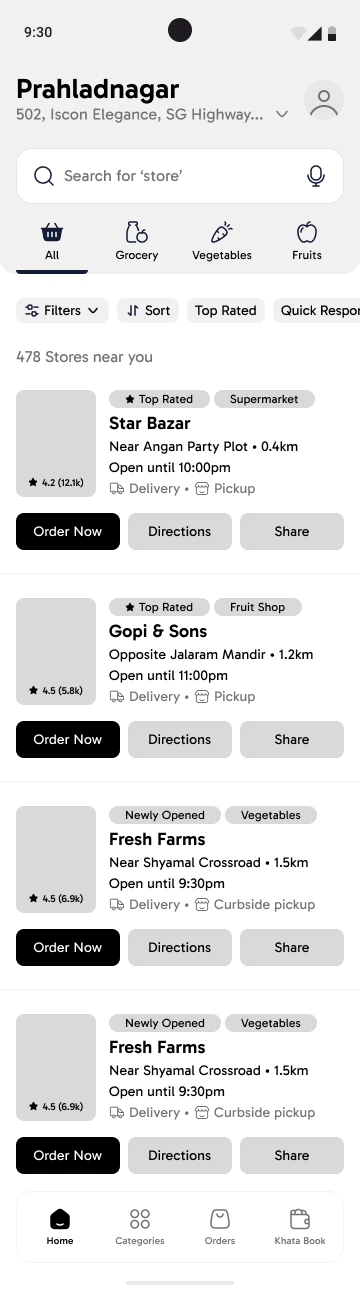
Store cards establish the information a customer needs before choosing a vendor.
View screen ↗
Line items, charges, payment details, and delivery information are grouped in one record.
View screen ↗Choose a store, then start the order
A familiar local store still needs a useful digital introduction. Availability, delivery options, product information, and reviews help someone decide whether to begin a conversation.
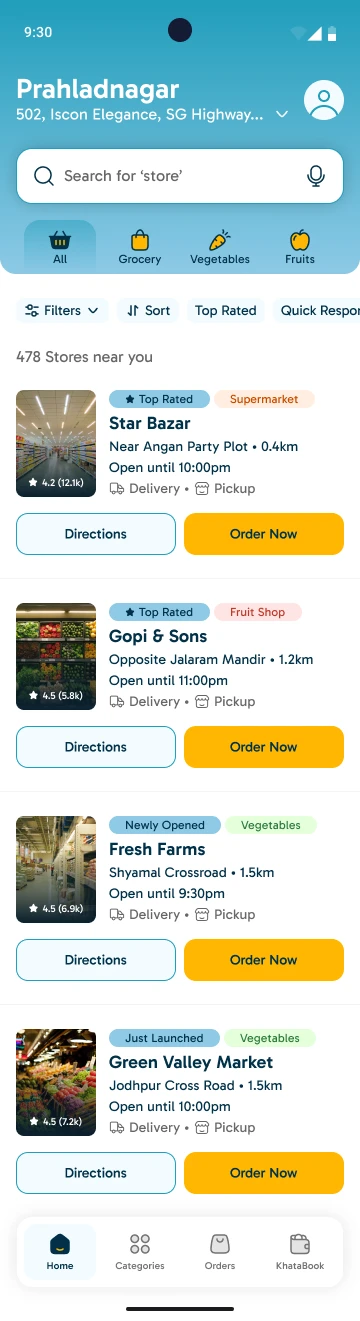
The location and store cards anchor discovery in the customer’s neighborhood.
View screen ↗
Product categories, store information, and reviews support a more considered choice.
View screen ↗
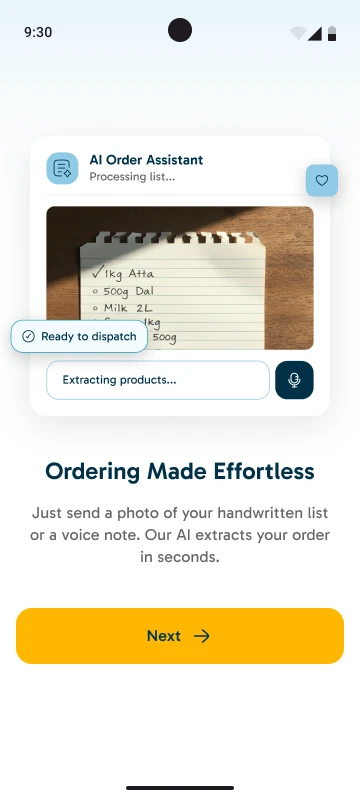
The conversation carries a shopping list into a structured order that can be checked.
View screen ↗
An itemized view keeps the agreed products, charges, and delivery details together.
View screen ↗Make payment and progress easy to follow
After an order is placed, the questions become practical: how to pay, what happens next, and what is still owed. Each gets a dedicated view.
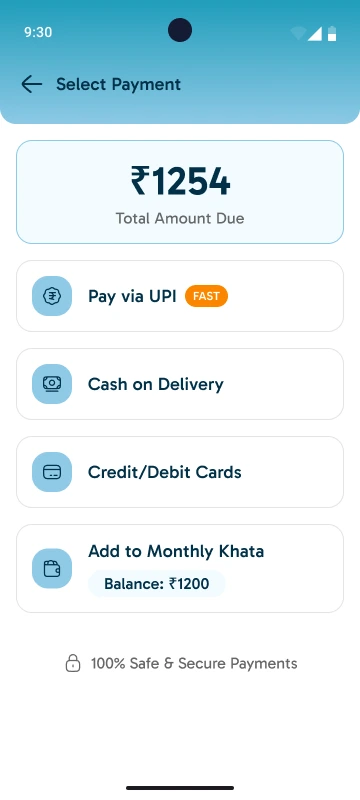
UPI, cash on delivery, cards, and monthly khata are presented as distinct choices.
View screen ↗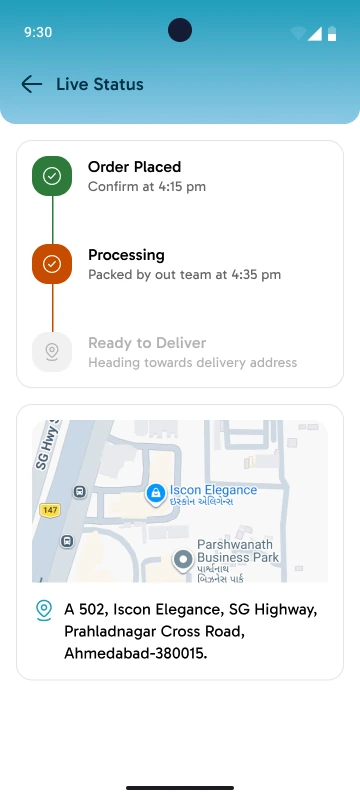
A step-by-step status view makes progress visible after the conversation.
View screen ↗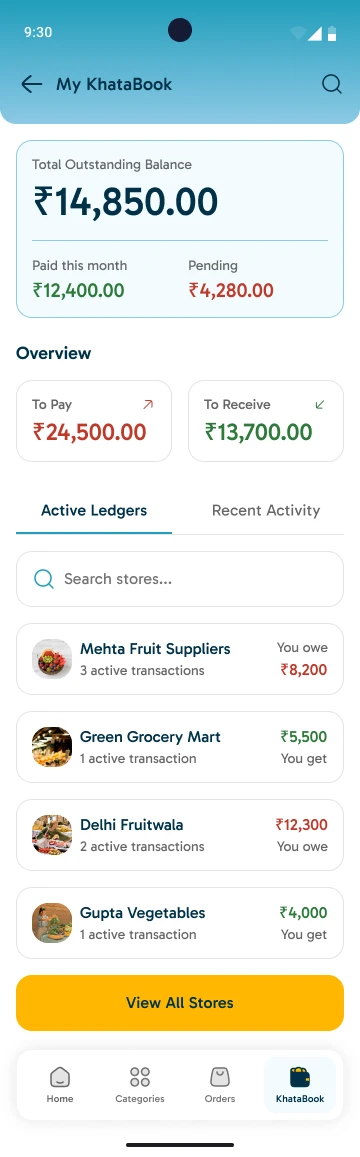
Balances and transactions remain accessible as a record of their own.
View screen ↗
The merchant view brings the operational side of the same transaction into focus.
View screen ↗Support the wider operation
The product extends beyond the customer’s phone. The administrative overview brings platform activity into one workspace.
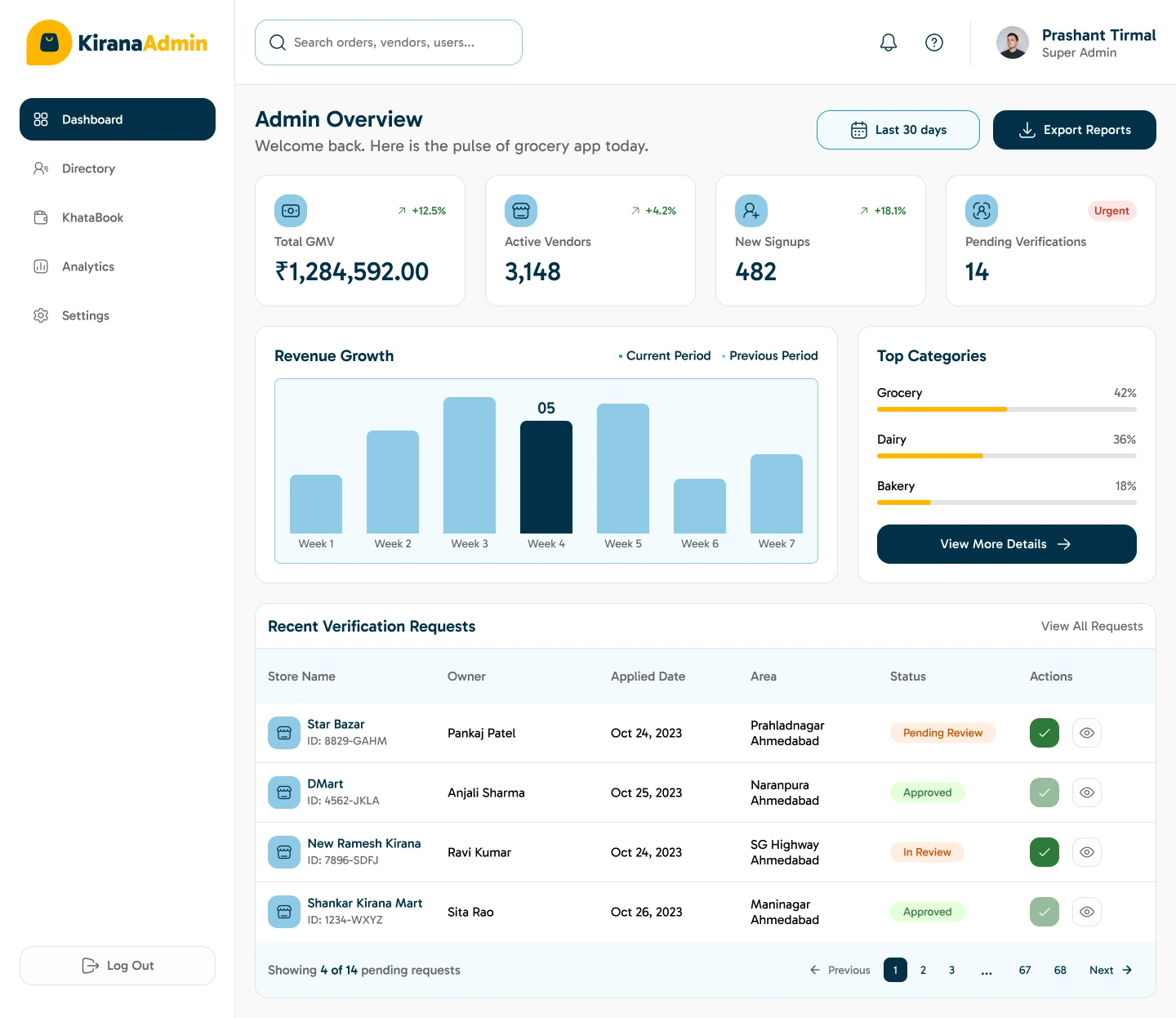
The desktop design combines summary figures, charts, and recent activity.
View screen ↗07 / DESIGN INTO DEVELOPMENT
Handling changes after checkout.
Order status and financial records need precise labels and predictable updates. A frontend build should distinguish loading, empty, and failed states, especially when a customer returns to an order or the connection drops during a vendor conversation.
08 / REFLECTION
Two sides of the same transaction.
This work covers the customer and merchant sides of local commerce. The important handoff is between a conversation and an agreed order. Order edits, partial payments, and disputed balances would need particular attention in the next round of testing.
I would test whether a customer can identify delivery availability, recover an order, and explain the ledger balance. Vendor testing should focus on confirming an order while handling multiple customers.